
The Boat Monitor may on a rare occasion malfunction, requiring it to be replaced, or customer bought a new boat with the new pre-installed Boat Monitor and wants to keep the data from the old boat. If users need to replace their device, the "Replace Boat monitor" feature comes in handy. The Replace Boat Monitor feature is currently supported only for non-factory-installed (non-OEM) Sentinel devices. If your boat has an OEM-installed Boat Monitor, please follow the instructions in the How to Unregister Boat Monitor instead. When a device on a boat is replaced, and you follow the process outlined below, you can keep your past trips and alerts visible in the app. However, the old device's sensor data won't be available anymore.
Please follow to the steps below:
>>> IMPORTANT: Do not use option "Delete boat" on your boat with data, otherwise data is lost. <<<
1) Replace device
Once your new Boat Monitor has been installed and powered on, you can begin the replacement process.
1) Open your boat and select "More" on the menu on the bottom.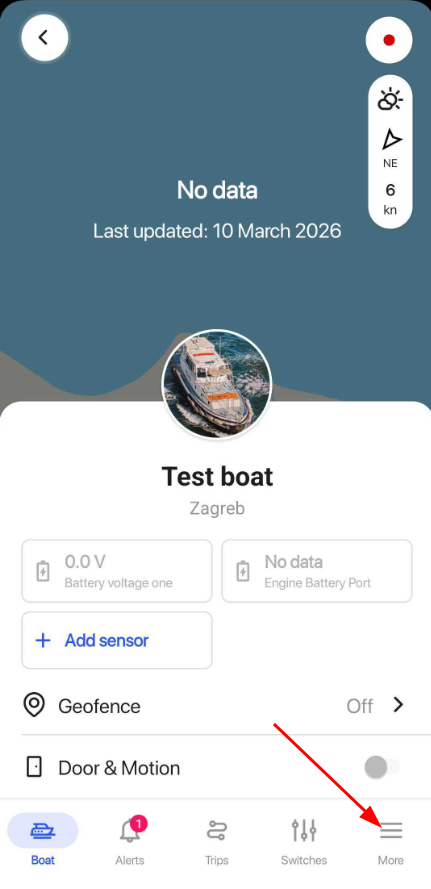
2) Press "Boat Profile" and scroll down to select "Replace Boat Monitor".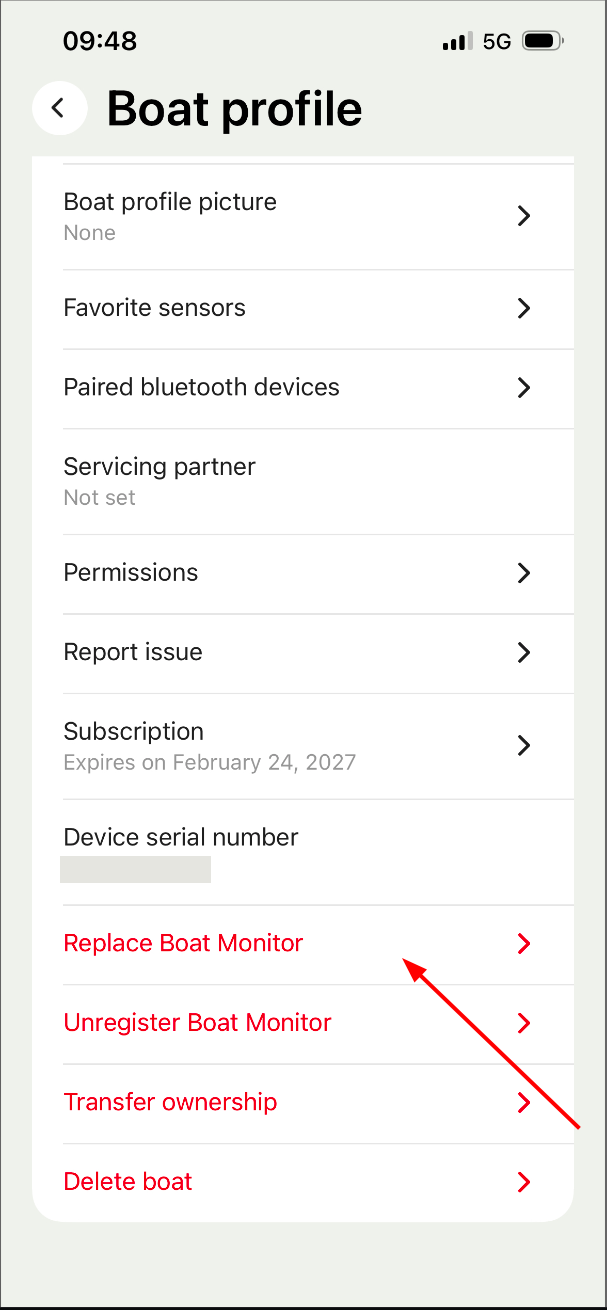
3) Press "Scan QR" and scan QR code one the new Boat Monitor.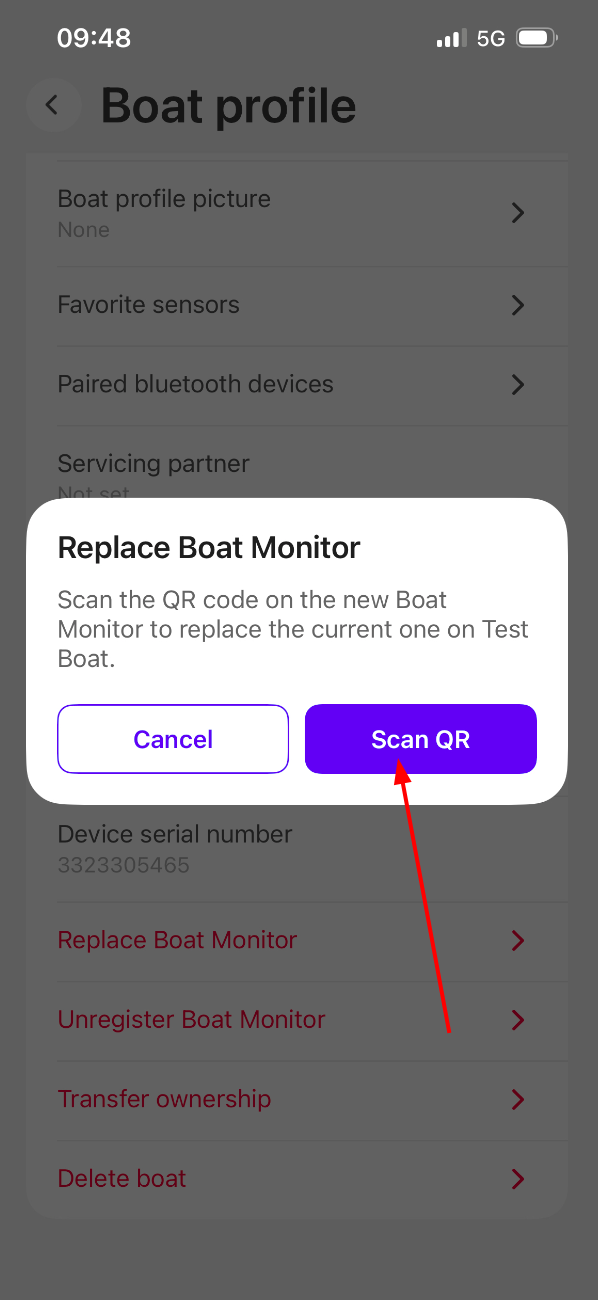
4) That's it! Your boat now uses the new device to gather data, and you should still see trips created with the old device.